
Fosia Pay for WooCommerce
The WooCommerce gateway built for Mobile Money
Accept payments, refund customers, pay suppliers and share payment links, all from WordPress and all through your own PawaPay account.
- 21 countries
- 40+ networks
- No commission
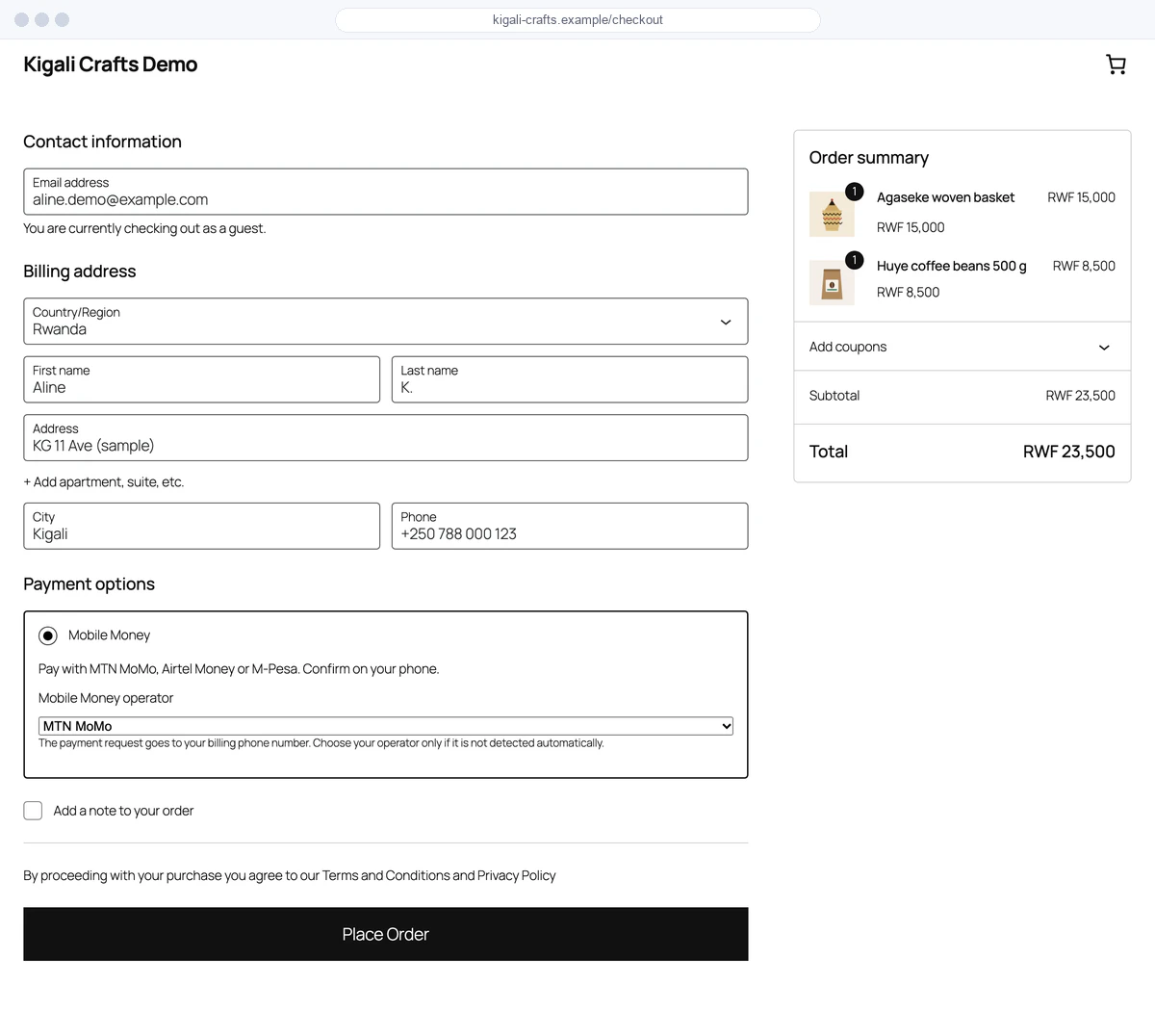
Checkout
Two ways to check out
Pick the flow that fits your store. Both confirm the order automatically.

Hosted checkout
The customer is redirected to a secure PawaPay payment page, confirms on their phone and comes back to your thank-you page.
Lite and all plans

Native checkout
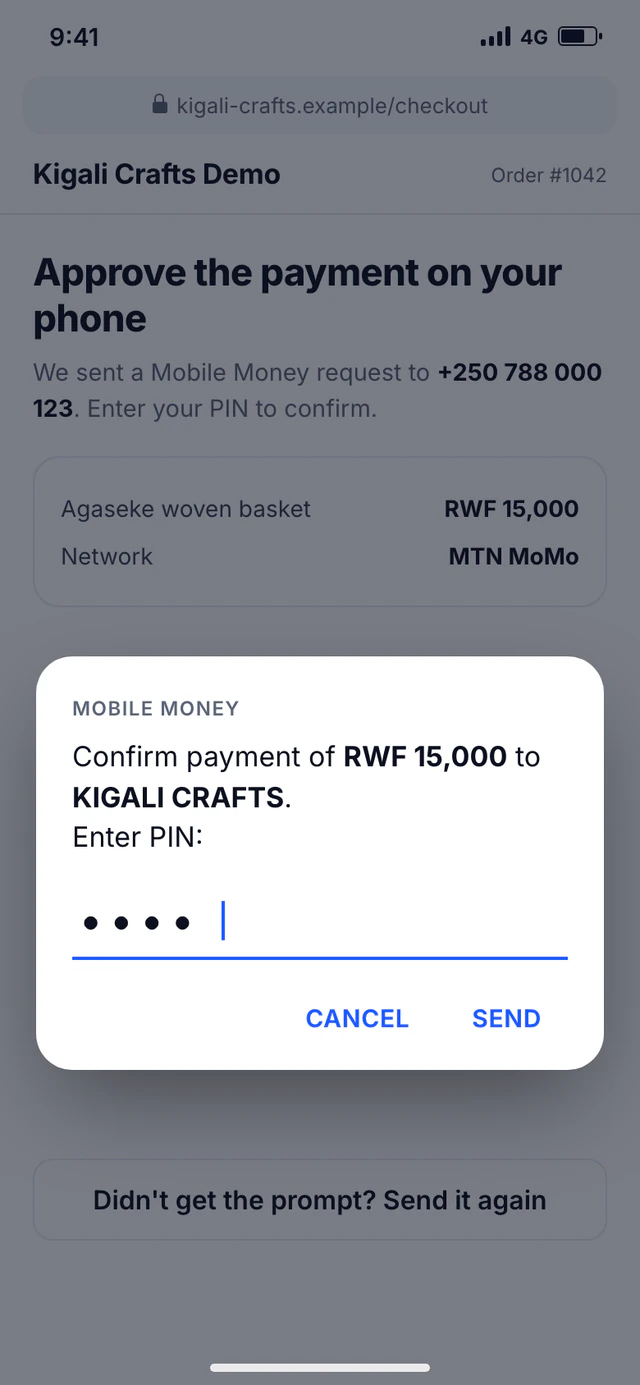
The customer types their number on your checkout and the payment prompt pops up on their phone, while an “Approve the payment on your phone” screen follows it live. No redirect, fewer drop-offs.
Pro and above
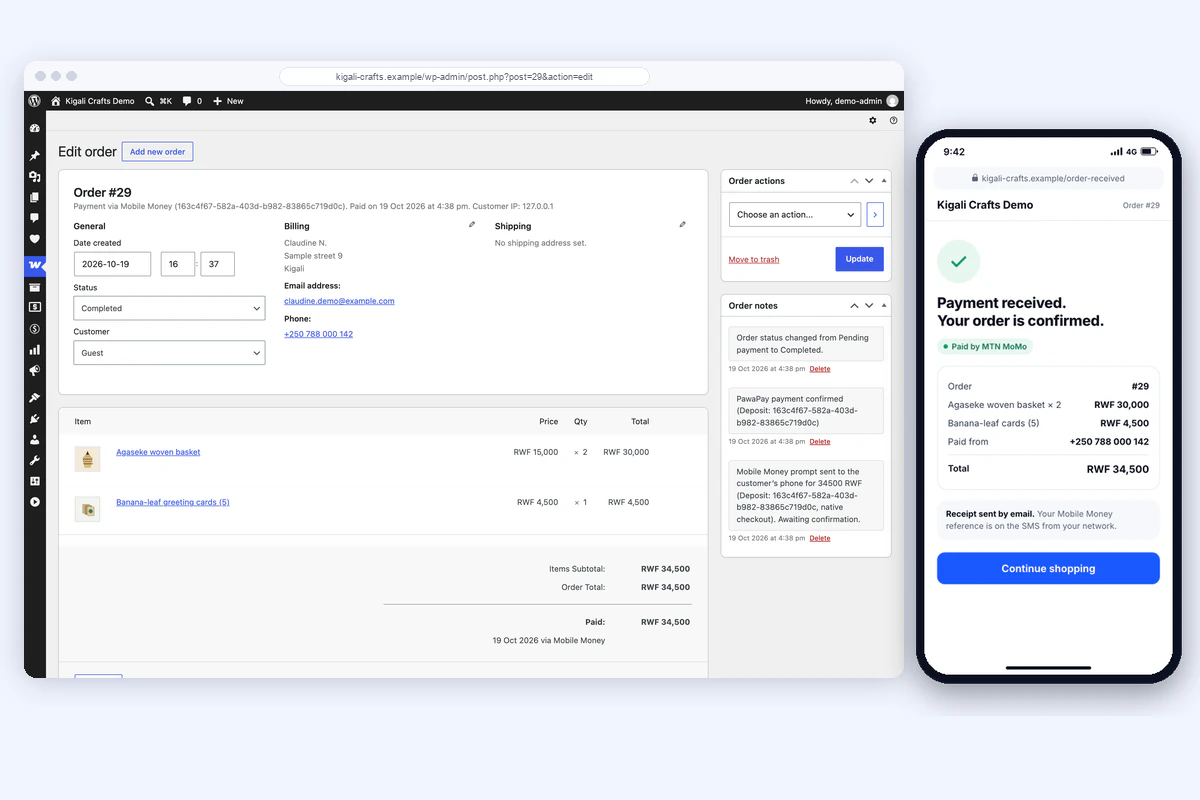
Accept
Payments that confirm themselves
Fosia Pay reads the country, currency and operator from the phone number, converts your store price to the local currency and waits for PawaPay's signed confirmation before marking the order as paid.
Refund
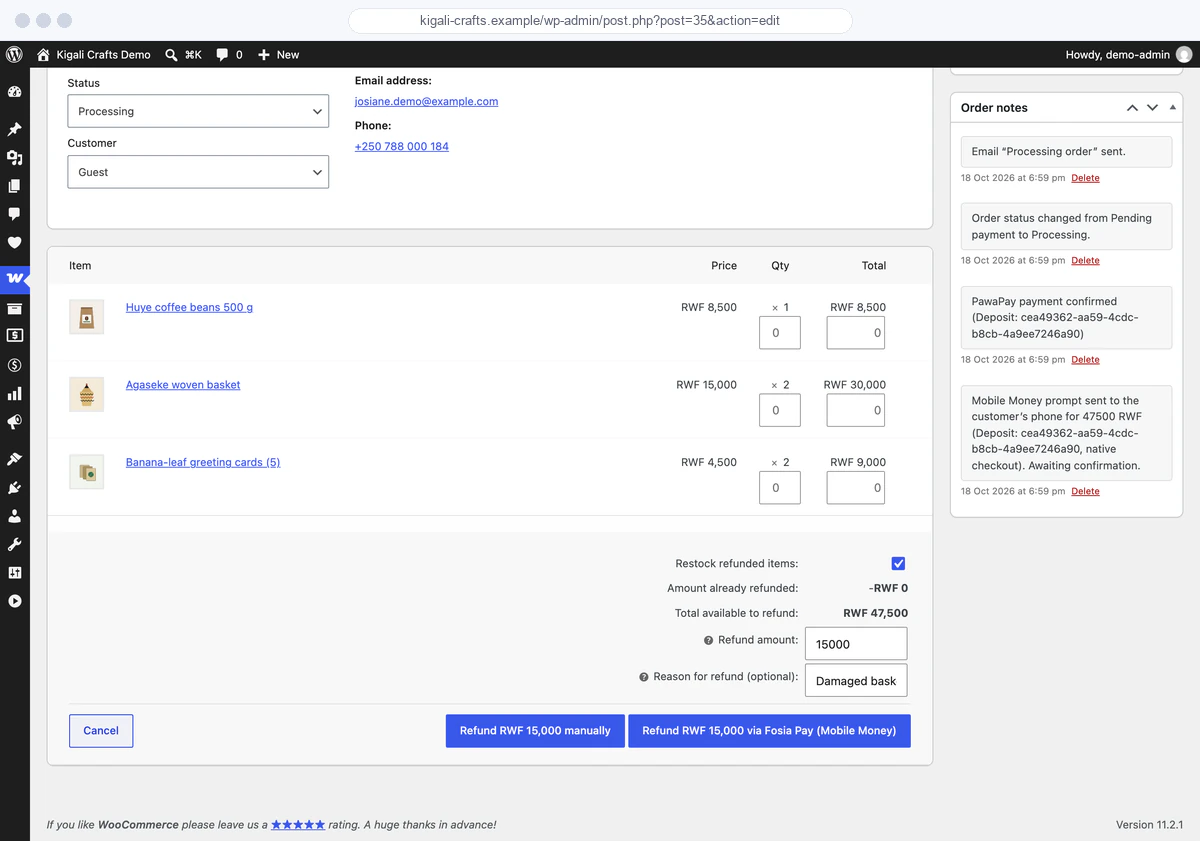
Refunds in two clicks
Refund the full order or part of it from the normal WooCommerce refund button. Fosia Pay sends the money back through PawaPay and keeps the order notes up to date.
Pay out
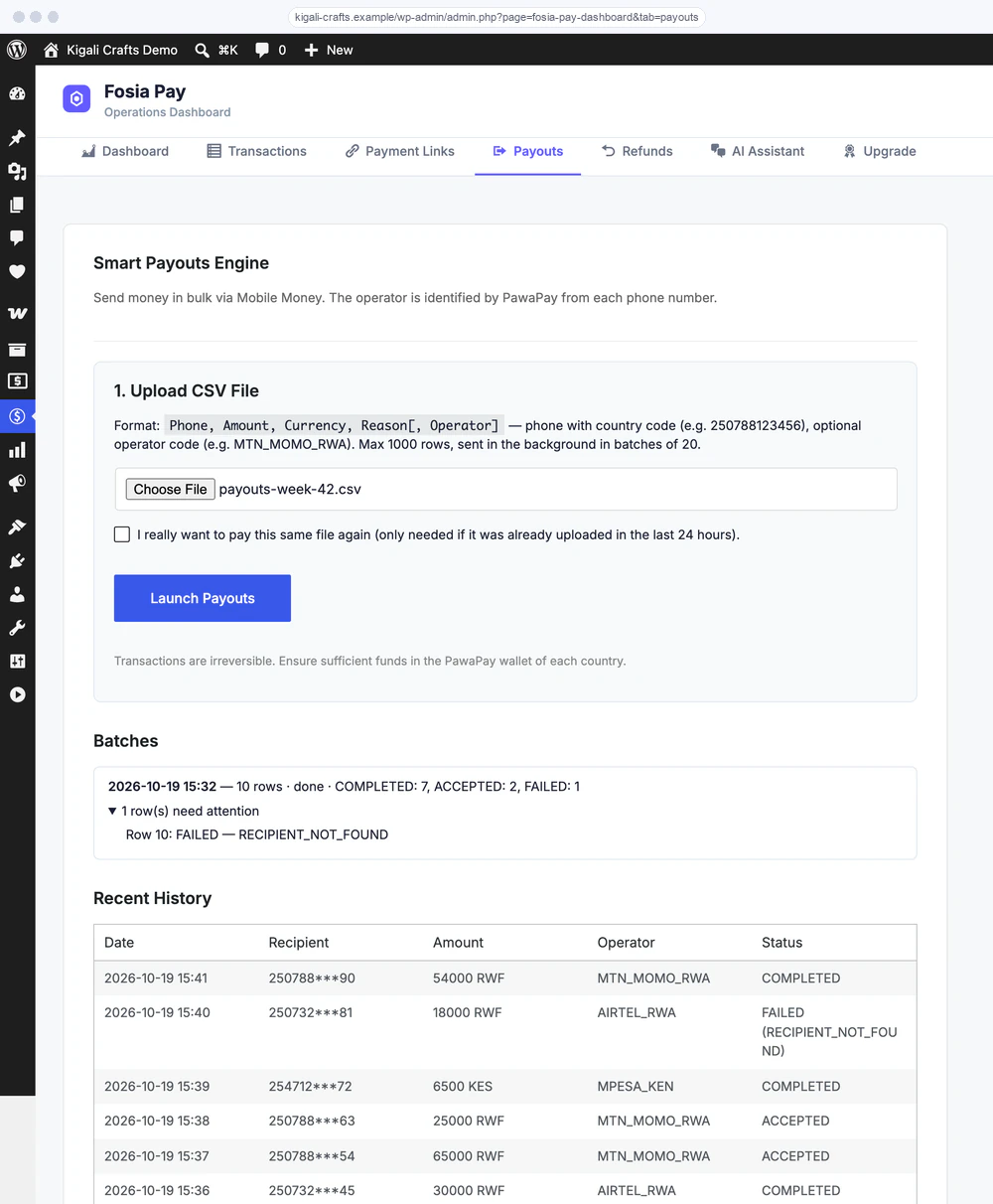
Pay suppliers, staff and sellers
Pay one person from a short form, or drop a CSV list of up to 1,000 rows. You check every recipient and amount on a review screen first; the payouts then go out in the background, and a row is never paid twice.
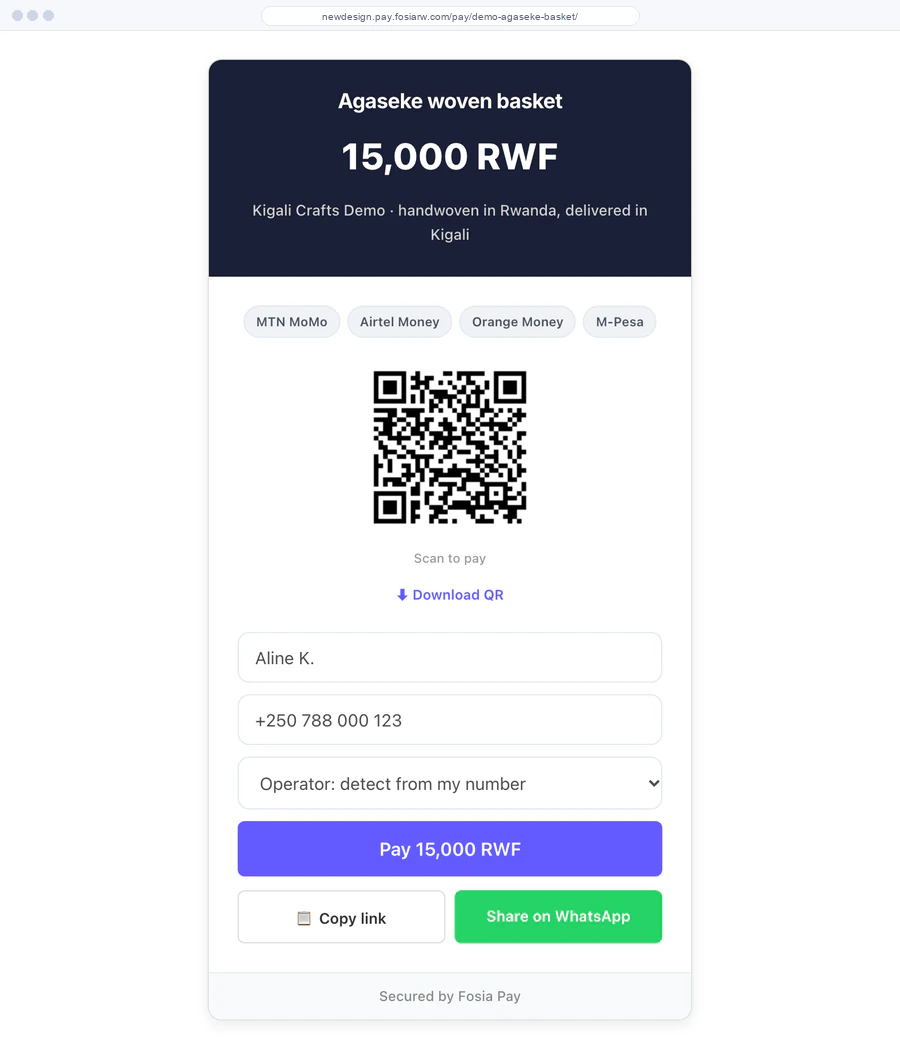
Sell anywhere
Payment links and QR codes
Create a link for a fixed or open amount, share it on WhatsApp or social media, or print its QR code at your counter. Recurring invoices are emailed every month on Pro + AI.
New in Pro 1.12 · sharing & QR posters
Share it in one tap. Print it for the counter.
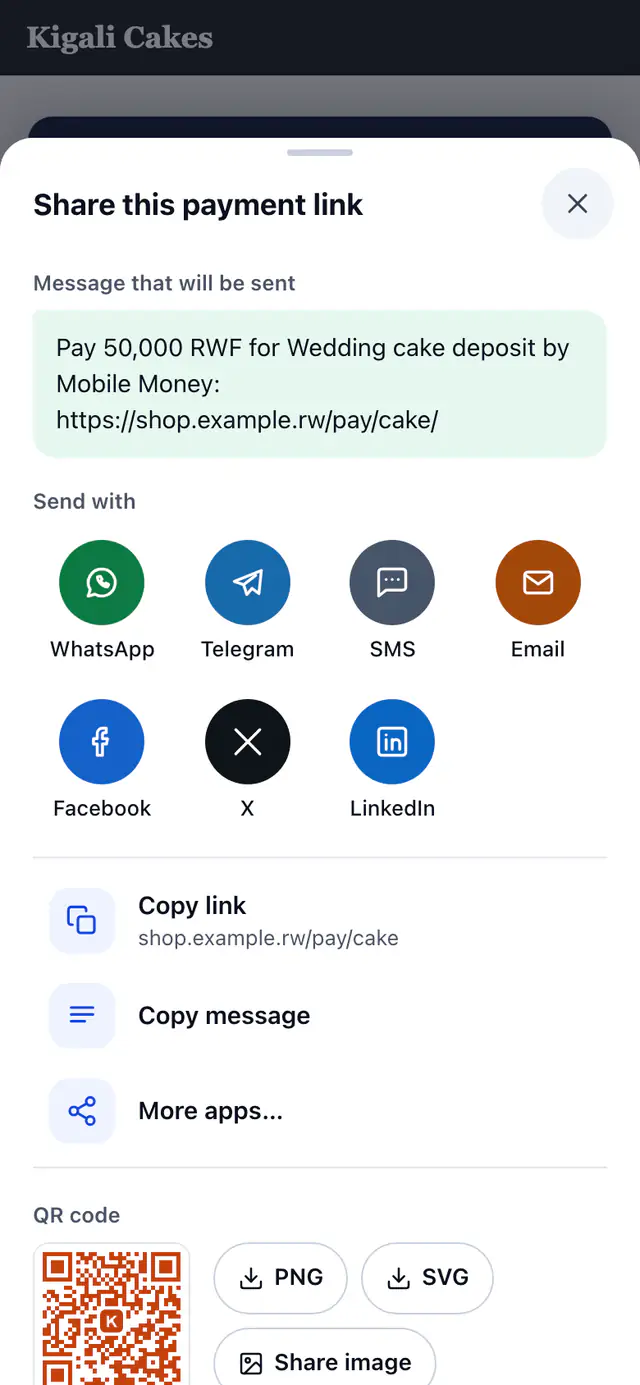
Every payment link now has a share sheet, a message you control, a short address and a QR code that prints well.
One-tap sharing
The share menu your customers already know
On a phone, Share… opens the phone's own share menu. On a computer, and from your dashboard, Fosia Pay opens its own sheet with the exact message that will be sent.
Your words, your address
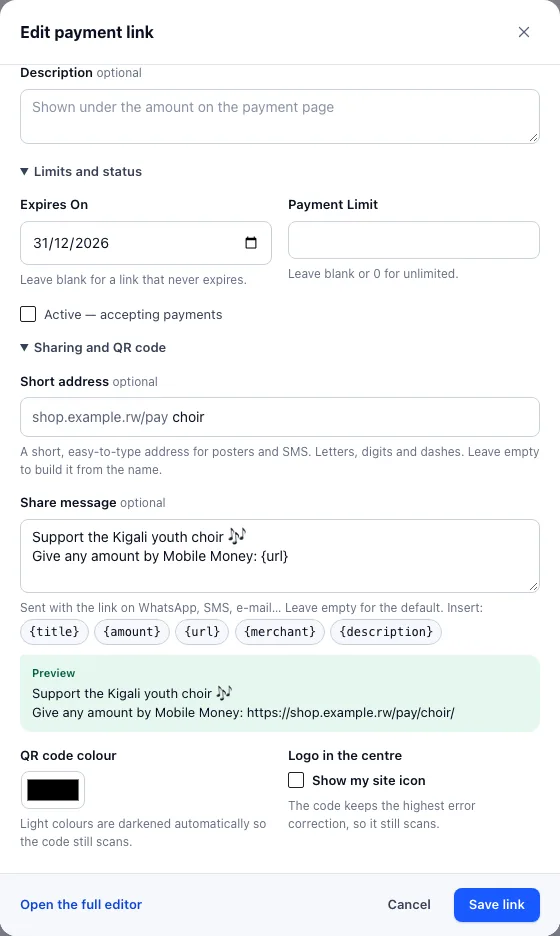
Write the message once, for each link
Each link has its own share message with {title}, {amount}, {url}, {merchant} and {description}, previewed as you type, and a short address that is easy to type from a poster or an SMS.
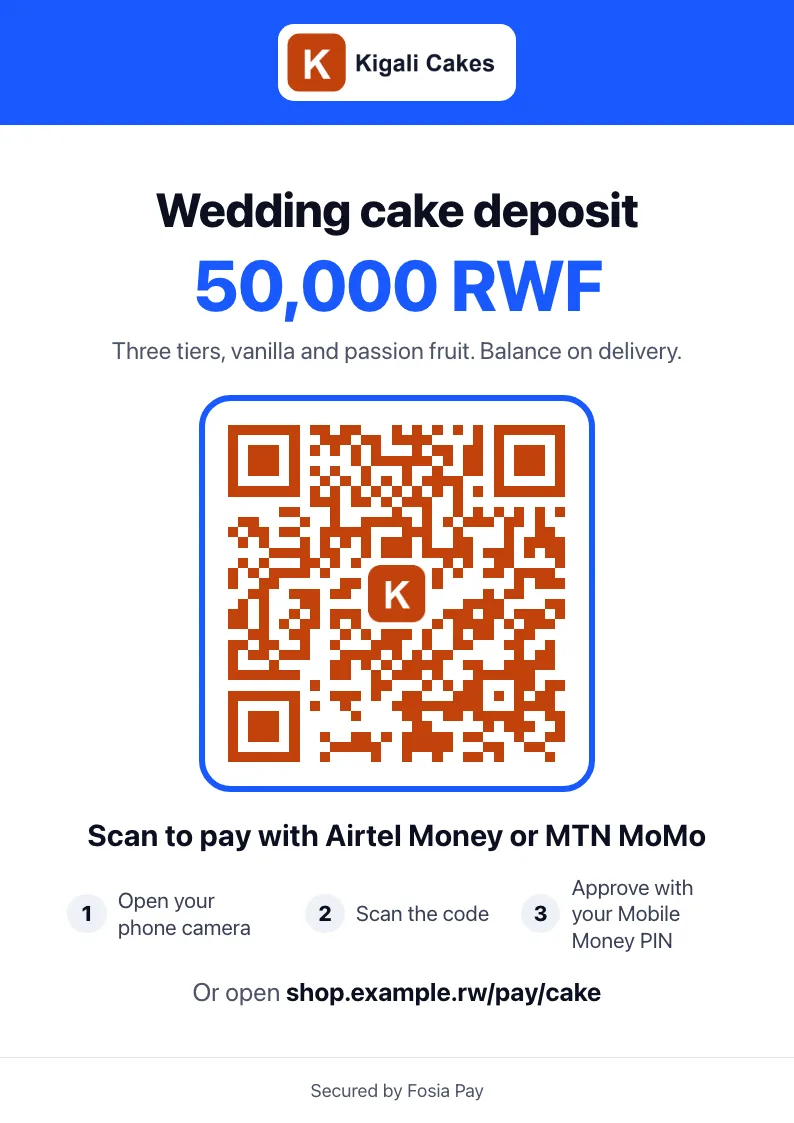
Posters and stickers for the counter
Print an A4 or A5 poster with your logo, the amount, the QR code, the Mobile Money networks of that currency and three steps to pay, or a sheet of six table stickers with cut lines.
Pro and above
Fewer failed payments
Most failed Mobile Money payments are avoidable: a wrong number, an operator down, a low balance. Fosia Pay catches them before and after the payment.
Number checked as they type
PawaPay validates the Mobile Money number while the customer types it. The detected network is shown, and an amount outside the operator's limits is caught before paying.

Operator outage alerts
When an operator is down, the checkout says so before the customer pays and names the networks that work right now.

Failures in plain words
Every PawaPay failure code becomes a clear message with the next step: top up, try again, or pay from another number.

One-tap retry
A failed payment can be tried again from the thank-you page, on the same order, without filling the checkout again.

PIN help in their language
While the prompt is on its way, the customer sees the operator's own approval steps from PawaPay, in English or French.

Why payments fail
A dashboard card shows your success rate, problems caught before sending, and failures by reason and by operator over 30 days.
Approve on your phone
A payment screen made for phones
After the order, the customer sees one clear screen: the shop, the order, the amount in their Mobile Money currency, and what to do on their phone. It updates by itself when PawaPay answers.
Back office
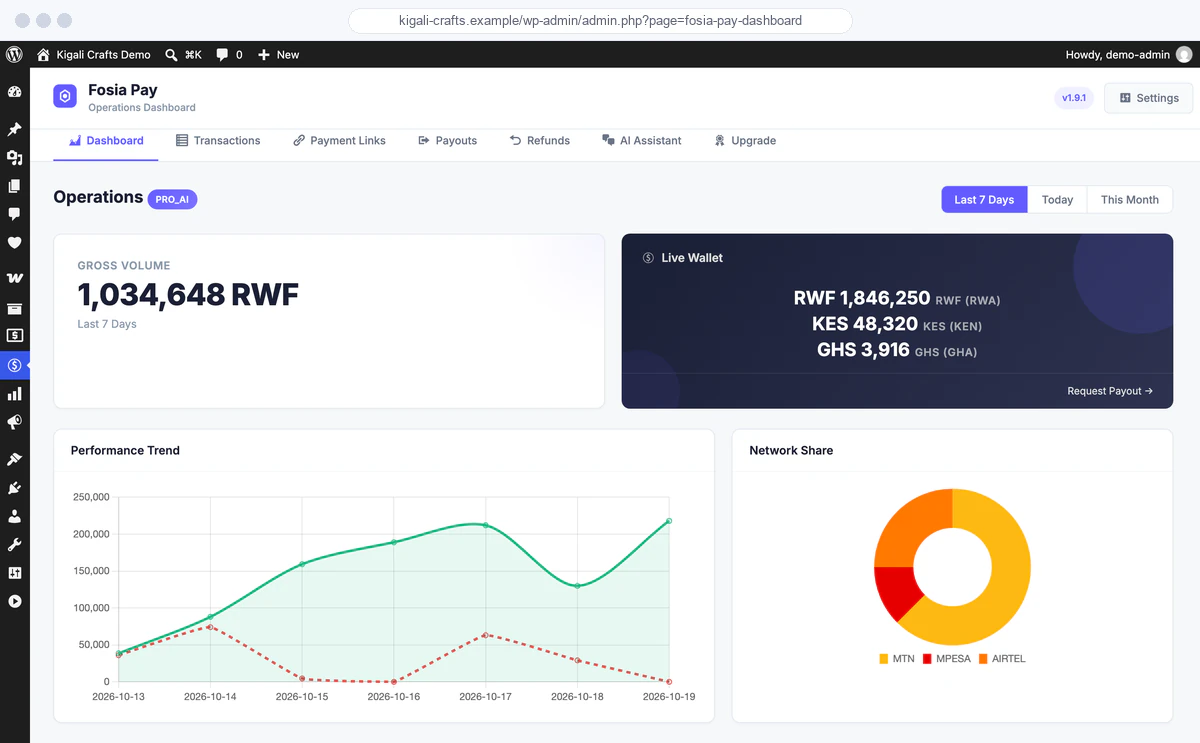
Run your Mobile Money business from WordPress
One operations dashboard in wp-admin: what you collected, what failed and why, your wallet balances and the status of each operator.
Reliability
Tested end to end against PawaPay's sandbox
Fosia Pay Pro 1.12.2 fixes what a full test run in Rwanda (RWF), Uganda (UGX) and Zambia (ZMW) showed. Even when PawaPay's callback never arrives, nothing stays stuck.

Paid orders are never lost
An order paid on PawaPay's hosted page is re-checked with PawaPay on a schedule, from 2 minutes to 6 hours, so a customer who closes the page is still marked as paid.
Refunds and payouts reach a final status
Accepted refunds and payouts are re-checked in the background until PawaPay says completed or failed, so your dashboard and e-mails stay right.

A full refund returns everything
The refund that completes an order sends back exactly what is left at PawaPay: no rounding gap between what was charged and what is refunded.
A clear reason, not an error page
On the block checkout, a payment stopped before PawaPay (wrong number, operator down…) now shows its reason instead of a critical error.
The right decimals per country
The hosted page follows each country's decimal rules, so a converted price is not refused by PawaPay.

Payment links that just work
A link created from the dashboard, the REST API or the MCP server shows its payment form, and its page is kept out of page caches.
Coverage
Available in 21 African countries
One plugin for West, East, Central and Southern Africa. Country and operator availability depends on what PawaPay enables on your merchant account.
- Benin
- Burkina Faso
- Cameroon
- Congo
- DR Congo
- Côte d'Ivoire
- Ethiopia
- Gabon
- Ghana
- Kenya
- Lesotho
- Malawi
- Mozambique
- Nigeria
- Rwanda
- Senegal
- Sierra Leone
- Tanzania
- Uganda
- Zambia
- Zimbabwe
Mobile Money networks
- MTN MoMo
- Airtel Money
- Orange Money
- M-Pesa
- Moov Money
- Wave
- Telecel Cash
- AT Money
- Mixx by Yas
- Halopesa
- Free Money
- TNM Mpamba
- e-Mola
- Zamtel Kwacha
- EcoCash
Fosia Pay works in the 21 countries PawaPay serves, with the countries and operators enabled on your PawaPay account. Some operators need PawaPay's own approval first: M-Pesa in Kenya, for example, is only opened to merchants PawaPay approves for it (enterprise accounts).
Trust
Security by default
Signed callbacks
PawaPay's RFC 9421 HTTP message signatures are checked on every callback. Unsigned or invalid notifications never change an order.

Your money stays yours
Funds settle in your own PawaPay wallet. Fosia Ltd never holds, routes or touches your customers' payments.

Readable code
Lite is GPL and its source is in the plugin files, so you can check it before trusting it with real payments.
Roadmap
Coming next
What we are building after today's features. No dates yet: we ship when it is ready.
Pay by chat
WhatsApp payment links with smart reminders: when a payment fails, the customer gets a friendly reminder and a link to try again.
Planned

Fosia Payroll
Salaries, commissions and supplier payouts by Mobile Money, with two-person approval, scheduling and balance alerts.
Planned
Automatic accounting reconciliation
PawaPay statements matched to your WooCommerce orders, with an export for your accountant.
Planned
Requirements
What you need
Help
We set it up with you
Every paid license includes a free setup call. We install the plugin with you and connect your PawaPay account.
Start with Lite. It's free.
Unlimited Mobile Money payments on 1 site. No license key, no commission. Pro from $19.99 a year, or $59 once for life.